
GoHighLevel sidebar menu customization, signposted like a wash lot
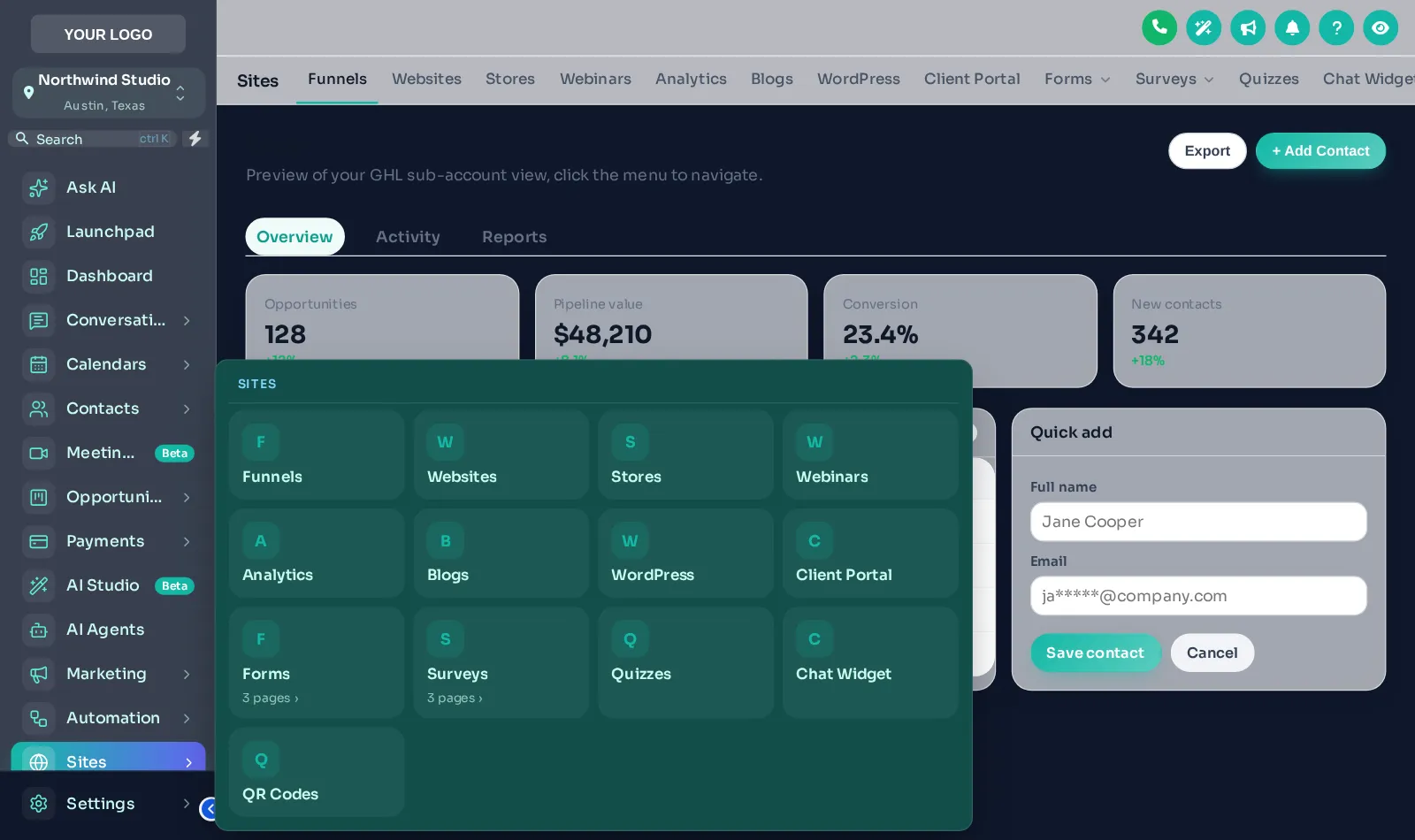
Good lot signage gets drivers from the entrance to the vacuums without thinking. A well-built GoHighLevel menu does the same for staff: left or right sidebar, top bar or merged header in every package, plus 8 mega menu styles and a floating quick menu from Shine.
Pick the route your team takes
Left sidebar
The familiar layout, in your colours and logo.
From RinseRight sidebar
Moves the menu to the right edge, freeing the left for your eye-line.
From RinseTop bar
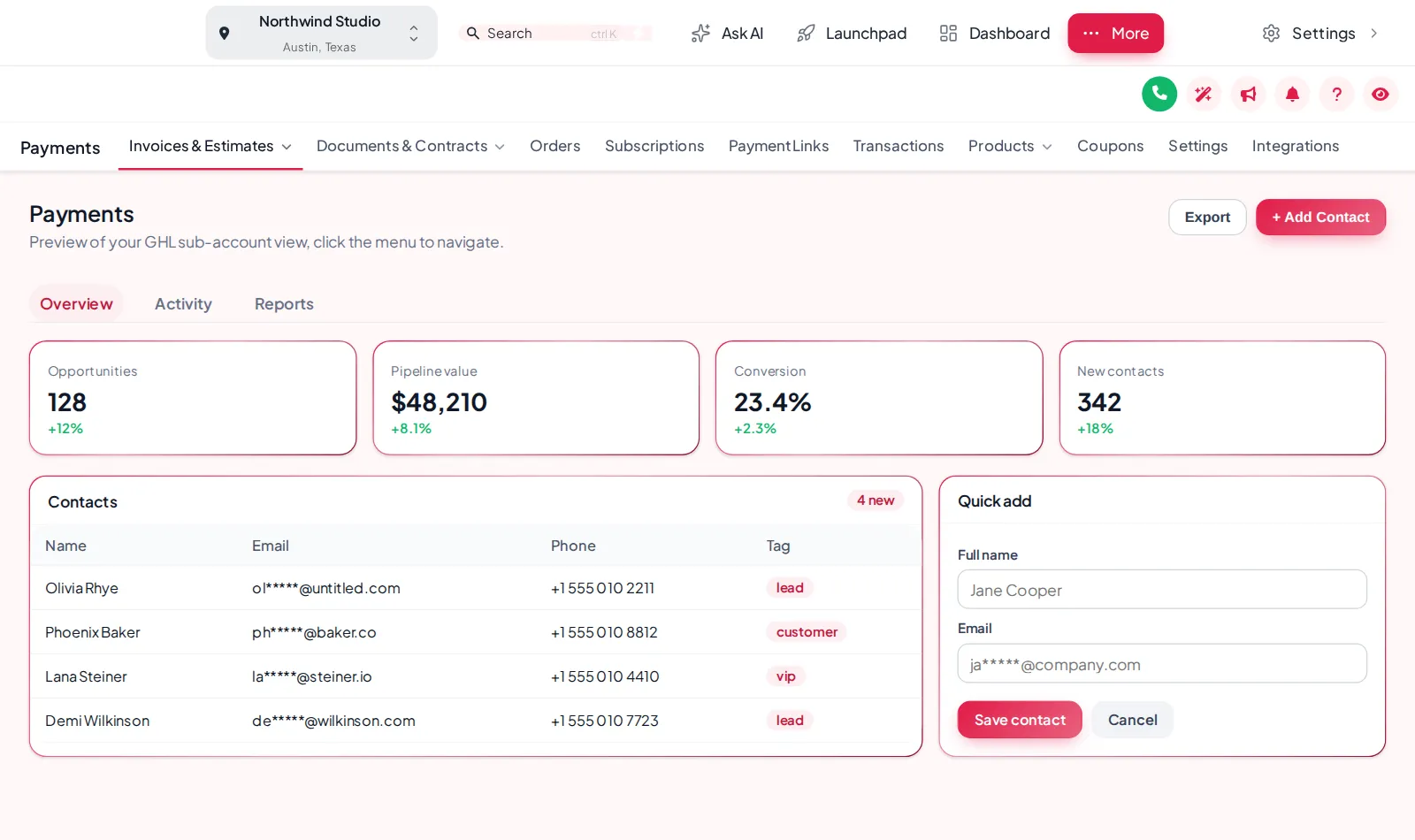
A horizontal bar with 8 styles, from Solid to Glass and Segmented.
From RinseMerged header
Top bar and header combined into one strip for more screen height.
From RinseMega menus
8 styles such as Columns, Tiles and Rail for sections with many sub-pages.
From ShineFloating quick menu
A draggable bubble, dock or rail with your most-used pages, over every screen.
From ShineEvery menu style
8 mega menu styles, 8 top-bar styles and 8 header styles, each previewable before you save.
Mega menus
- Columns
- Split
- Cascade
- Tiles
- Tabs
- Icon rail
- Accordion
- Wide
Top bar
- Solid
- Floating
- Glass
- Brand gradient
- Underline
- Segmented
- Centered
- Slim
Header
- GoHighLevel default
- Soft tint
- Brand
- Gradient
- Aurora
- Dark
- Glass
- Accent line
Re-route the menu in four steps
Choose the layout
In the editor, pick a left or right sidebar, top bar or merged header and see it on a live copy of GoHighLevel.
Style the bar and header
Pick one of 8 top-bar styles and 8 header styles to match your theme.
Add mega menus (Shine and up)
Turn on mega menus in one of 8 styles, or add the floating quick menu for the pages your team opens most.
Save
Every sub-account picks up the new menu on its next page load.
Menus sit on top of your GHL theme; pair them with a dashboard design for the full back office.
Menu customization questions
Yes. With the GHL Customizer you can show the menu as a left or right sidebar, a top bar or a merged header, in your colours, and from Shine add mega menus and a floating quick menu.
A mega menu opens a wide panel of sub-pages when you hover a section such as Sites or Payments, instead of a narrow list. There are 8 styles, including Columns, Tiles, Tabs and Rail.
Sidebar and top-bar layouts are in every package, starting with Rinse at $137. Mega menus and the floating quick menu start in Shine at $337.
No. Permissions still come from GoHighLevel user roles. The customizer changes how the menu looks and is arranged, not who can open what.
Yes. Agency and sub-account views each have their own menu settings in the editor.
The customizer targets GoHighLevel’s own menu structure and is maintained by the platform team as GoHighLevel changes. If something shifts after an update, support can help.
On a wide office monitor either works. A top bar frees horizontal space for long pipeline boards; a sidebar keeps every section visible. Try both in the preview above.
Yes. It can be dragged anywhere and opens on tap, which suits a tablet kept at the counter.
Every station in the tunnel
GoHighLevel and HighLevel are trademarks of HighLevel, Inc. We are an independent team and are not affiliated with, endorsed by or sponsored by HighLevel, Inc. Your theme is installed through GoHighLevel’s own Custom CSS and Custom JS agency settings, and your GoHighLevel subscription is billed by HighLevel separately.